Register for Pubeasy
Step 1: Understand Requirements to Use Pubeasy
Pubeasy provides a Web-based platform for automatically dividing your orders among multiple supplier shopping carts. However, to use Pubeasy you must first create those supplier accounts directly with the suppliers. Click here for more information.
Step 2: Verify Registration Email Address
- Go to our registration page.
- Enter your email address.
- Find and respond to the verification email within 1 hour. (If you miss this time window, start over at Step 2.)
Step 3: Choose Service
Existing MVB users
If you are already registered for another service (such as Pubnet US or Teleordering UK) under the email you entered in Step 2, you will be shown this screen and will need to click the Create new registration button to get to the product selection screen.
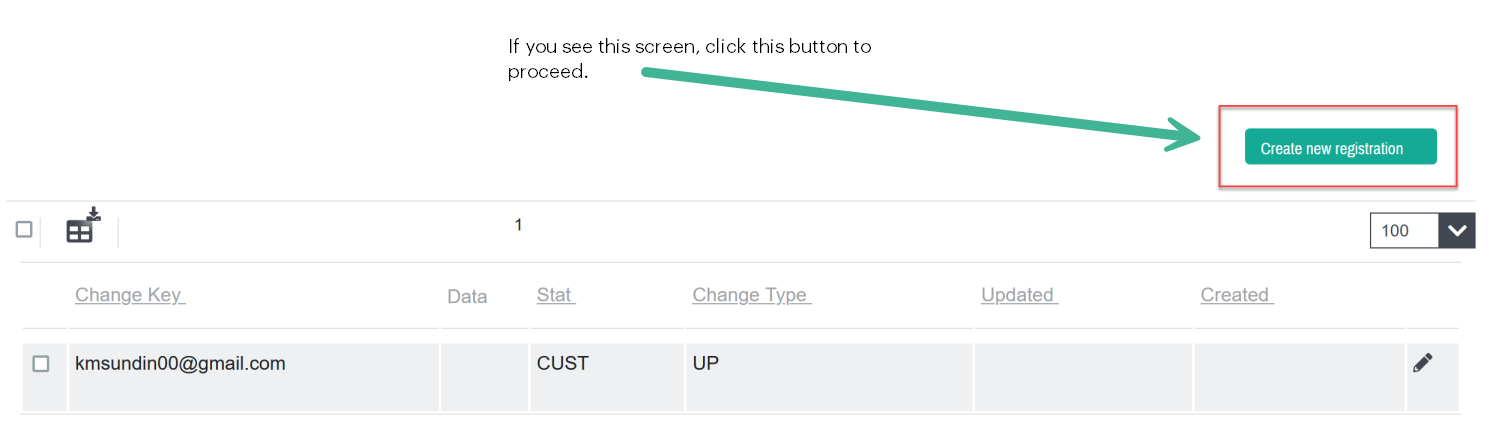
New users
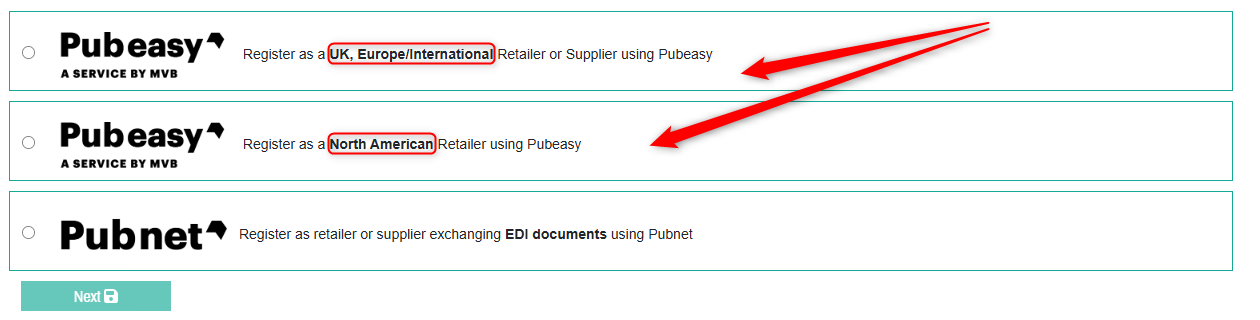
You will be brought directly to the product selection screen. Please select one of the first two options, depending on your region.
Step 4: Submit Application Form
You will be asked for several pieces of information. For Company Name, please enter either your Ship-To store name alone or both your LLC and dba names. We are primarily interested in the name that you receive deliveries under.
Step 5: Receive Welcome Letter
We manually vet and approve Pubeasy registrations so it will take 1-2 business days before you receive your welcome email with your login credentials. It will come from Support@mvb-online.com. If you haven't received it within this time period please check your Spam/Junk filters.
Please save this email (or the information within it) as you will need it to configure your inventory management system.